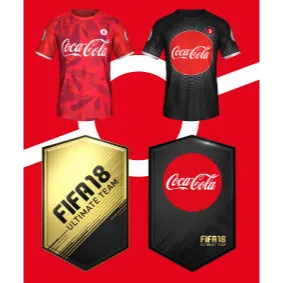

FIFA Ultimate Team™ Coca-Cola prize pack XBOX ONE

TO BE USED ONLY IN THE UK.
FOR USE ON XBOX ONE ONLY
Please redeem your code by following the directions below!
1 Turn on your Xbox One console (Full instructions for redeeming either by web or on your console are also available on http://support.xbox.com/en- US/billing/prepaid-codes/redeem-prepaid-codes )
2 Make sure you are logged into the Microsoft account on which you want to redeem the code.
3 From the “Home” screen, scroll right to “Store”.
4 Under “Games”, select “Use a code”.
5 Select "Or enter the 25-character code".
6 Enter the 25-character kit code shown above. Make sure to enter the letters and numbers only (you do not need to type dashes or spaces).
7 Select “Confirm”. Once your code is redeemed, you’ll receive a confirmation message.
8 Launch EA SPORTS™ FIFA 18 and advance to FIFA ULTIMATE TEAM™ ("FUT").
9 You can locate your kit in the "My Packs" section of the in game store. Store Tab > Browse Packs > My Packs
10 Select the pack to open it and you will advance to the New Items Screen. Follow the button callouts to manage your new items. Enjoy!
Load more...
Questions are public and asked by users, not Gameflip. Stay safe by not sharing personal information like your name, payment information and game platform accounts.