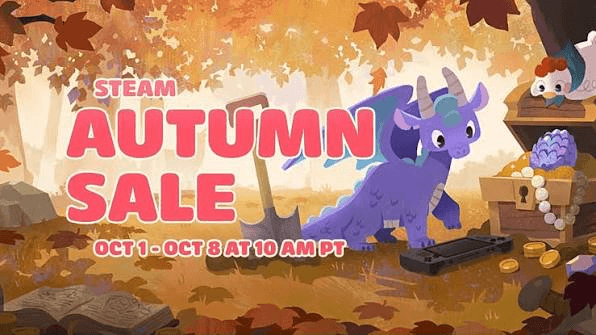

The official Steam Autumn Sale 2026 dates are confirmed for October 1 through October 8, 2026. While the temptation to blindly add every deeply discounted title to your cart is real, the absolute best purchasing decisions happen before the sale pressure begins.
Preparing your Steam account ahead of time keeps you focused on games you will actually play, saves your wallet from death-by-a-thousand-discounts, and ensures your account is set up for a smooth checkout when the store refreshes. Here is your ultimate guide on how to prepare for a Steam Sale before the countdown clock runs out.
🧹 Trim the Fat: Turning Your Wishlist into a Shortlist
If your Steam wishlist looks like an unorganized museum of every indie game trailer you have watched over the past three years, now is the time for an autumn pruning. A massive, uncurated wishlist is the primary trigger for impulse buys during major store events. When dozens of discount notification emails hit your inbox at once, decision fatigue sets in, making it hard to distinguish between a game you are dying to play tonight and one you thought looked neat in 2024.1. The "Will I Play This This Week?" Test
Be brutally honest with yourself during your audit. When evaluating a wishlisted game, ask: Am I realistically going to install and play this within the next seven days? If the answer is "no, because I am currently 60 hours into an RPG," move that title down your priority list. Major Steam sales happen regularly throughout the year. Buying a heavily discounted game today that you won't play until next year means paying for a digital trophy that will likely match—or beat—that discount by the time you actually get around to playing it.2. Rank and Organize Your Top Tier
Steam offers built-in tools to manage your wishlist efficiently. Use these Steam wishlist tips to stay organized:Drag and Rank: Reorder your top 5 to 10 absolute highest-priority titles to the very top of your wishlist.
Filter by Tag & Price: Use Steam’s filter options to sort by price or discount percentage when the event begins.
Remove Abandoned Titles: Delete games that no longer interest you or have fallen out of active development.
💰 Set Your Hard Budget Before the Countdown Starts
Discount psychology is a powerful force. Seeing a $60 AAA title marked down to $15 feels like you are "saving $45," but spending $15 on a game you never install is still losing $15. To keep your gaming budget under control, establish a firm spending cap before the store banners go live.Calculate Value by Expected Hours
A helpful framework for budget-conscious gamers is evaluating value per hour. A $20 indie title that offers a tight, memorable 15-hour narrative delivers fantastic value. On the flip side, a $10 game that fails to grab your attention past the tutorial is a wasted slot in your budget. Set a total monetary limit for the week—whether that is $30, $50, or $100—and stick to it regardless of how tempting the front-page deals look.Load Your Wallet Balance Early
One of the easiest ways to enforce a strict spending limit is topping up your Steam Wallet balance before October 1. Once your designated sale balance is loaded onto your account, refrain from using saved credit cards or external payment methods for impulse additions. When your wallet balance hits zero, your sale shopping is officially finished!📦 Standard vs. Deluxe vs. Bundles: Reading the Fine Print
Seasonal events are prime opportunities for publishers to feature multiple versions of the same title side by side. Navigating base games, Deluxe Editions, and DLC bundles requires a quick double-check so you do not pay for extra fluff you will not use.Beware of Cosmetic Deluxe Padding
Deluxe or Ultimate editions frequently cost $10 to $20 more than the base game. Before automatically choosing the higher tier, check what is actually included. If the extra cost only grants a digital artbook, a soundtrack app, and two character skins, ask yourself if those cosmetics justify the price jump. However, if the Deluxe Edition includes a full Season Pass or major story expansions, buying the bundled version during a sale is almost always cheaper than purchasing DLC piecemeal later.Leverage "Complete the Set" Bundles
Steam features two distinct types of multi-item store bundles:┌─────────────────────────────────────────────────────────┐
│ STEAM BUNDLE TYPES │
├─────────────────────────┬───────────────────────────────┤
│ Fixed Bundles │ Must buy all items together. │
│ ("Must Buy Together") │ No discount for owned items. │
├─────────────────────────┼───────────────────────────────┤
│ Dynamic Bundles │ Automatically adjusts price. │
│ ("Complete the Set") │ Only charges for missing items│
└─────────────────────────┴───────────────────────────────┘
🔍 Check Your Subscriptions and Backlog First
Before hitting "Add to Cart" on a game you have been eyeing, take five minutes to audit your existing digital footprint across other services.PC Game Pass & Publisher Apps: With subscription services constantly rotating their catalogs, games on your Steam wishlist might already be available to play at no additional cost as part of a service you are actively paying for. There is no worse feeling than spending $20 on Steam only to realize the title has been sitting in your subscription app all along.
Multi-Store Ownership: Over the years, PC gamers accumulate massive libraries across various PC storefronts through free weekly giveaways and external promotions. Do a quick search across your installed PC launchers or library aggregators to ensure you do not accidentally repurchase a game you already claimed for free elsewhere.
🌐 Platform, Region, and Currency Rules Explained
If you plan to gift games to friends or use gift cards to fund your Steam Autumn Sale shopping, understanding how Steam handles currencies and regional restrictions is crucial.Steam Digital Gift Cards vs. Steam Wallet Codes
There is an important operational difference between sending a Steam Digital Gift Card through the Steam storefront and redeeming a physical or alphanumeric Steam Wallet Code:Steam Digital Gift Cards: When you purchase a digital gift card directly through Steam for a user on your friends list, Steam automatically converts the gifted funds from your currency into your friend’s local currency upon redemption, using Steam's real-time conversion rates.
Steam Wallet Codes: Physical gift cards or digital wallet codes purchased from retail stores or third-party sellers are often currency-bound and region-restricted. A Steam Wallet code denominated in USD or EUR may not redeem on an account registered in a different region or currency. Always confirm that any Steam Wallet code you buy matches your account’s registered country and currency to prevent redemption errors at checkout.
💳 Smart Wallet Prep for Sale Day
Preparing for the Steam Autumn Sale is not just about organizing your game list—it is also about maximizing your budget. Topping up your Steam Wallet balance ahead of time means you can check out instantly when discounts go live without worrying about payment gateway slowdowns during peak server traffic.If you are looking to stretch your gaming dollars further before October 1, consider picking up discounted Steam Gift Cards on Gameflip. Securing wallet credit ahead of time lets you lock in extra savings before adding games to your cart. Just remember to double-check that the gift card region and currency match your Steam account settings before finalizing your order!
📋 The October 1 Pre-Sale Checklist
When October 1 rolls around and the Steam Autumn Sale officially kicks off, use this quick Steam Autumn Sale tips checklist to guide your purchasing decisions:[ ] Wishlist Pruned: Cleaned out abandoned titles and ranked top priority games at the top.
[ ] Hard Budget Set: Established a firm maximum dollar limit for your total sale spending.
[ ] Subscription Audit Done: Verified that shortlisted games are not already available on PC Game Pass or other active subscriptions.
[ ] Edition Checked: Confirmed whether the Base Game or Deluxe Bundle offers the best practical value for your playstyle.
[ ] Wallet Topped Up: Secured your Steam Wallet balance with region-appropriate Steam Gift Cards.
[ ] Region Verified: Ensured your Steam account region and redeemable codes match for a smooth checkout.