
Editorial Note: Last verified: September 2026. Platform redemption rules, storefront regional policies, and currency conversion terms are reviewed periodically as marketplace policies evolve.
Few moments in digital gaming are more frustrating than purchasing a gift card, scratching off the foil or copying a digital code, typing it into your console or PC storefront, and watching a red error message pop up: "This code cannot be redeemed in your country or region."
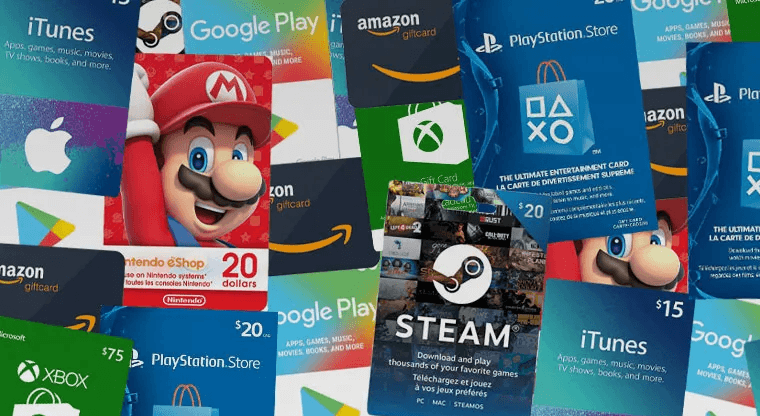
The short answer is yes—most gaming gift cards are region-locked or currency-bound. However, the way those restrictions are enforced varies drastically depending on whether you are buying for PlayStation, Xbox, Nintendo, or Steam. While one platform strictly locks your account to a single country forever, another might allow account region switches, and yet another handles digital gifts differently from physical retail codes.
Taking just 30 seconds to verify your account country, store currency, and code compatibility before hitting checkout can save you hours of customer support troubleshooting or wasted funds. Here is a complete guide breaking down how region locking works across all major gaming platforms, how to spot incomplete marketplace listings, and what to do if you accidentally buy the wrong code.
📊 Gift Card Region Lock Comparison Table
Before diving into platform specifics, here is how the four major gaming storefronts handle region locks, currency balances, account switches, and downloadable content (DLC) compatibility:
| Platform | What Must Match? | Can Account Region Be Changed? | How Currencies & Balances Work | DLC & Disc Compatibility Risks |
| PlayStation (PSN) | Exact Account Country/Region | No. Account country is permanent upon creation. | Single fixed currency. No cross-currency transfers or conversions. | High. Game disc/digital region must strictly match DLC region. |
| Nintendo eShop | Exact Account Country/Region | Yes (Conditions apply). Requires $0.00 balance and no active subs. | Funds locked to country where redeemed. No conversion between regions. | Moderate. Some titles are unified globally; others have region-specific DLC IDs. |
| Xbox / Microsoft | Currency Jurisdiction of Account Store | Yes. Can change region, but balances are split into regional sub-wallets. | Wallet funds held in distinct regional currency buckets. No conversion. | Low. Games and DLC are generally region-free; storefront redemption is locked. |
| Steam | Account Primary Currency & Country | Heavily Restricted. Requires local payment method in target country. | Direct Steam Digital Gifts auto-convert; retail/third-party Wallet Codes do NOT. | Low. Games/DLC are generally region-free once in library; activation keys may be region-tagged. |
🔵 PlayStation (PSN): The Strictest Regional Ecosystem
When it comes to regional restrictions, Sony enforces the strictest rules in the gaming industry.
Account Restrictions & Voucher Matching
Every PlayStation Network (PSN) account is permanently tied to the country or region selected when the account was first created. If you created your PSN account in the United States, it is forever a US account. A PlayStation Store voucher code must match your account's exact country. A $50 US PSN gift card will not redeem on a UK, Canadian, or European PSN account under any circumstances.
The DLC & Game Region Trap
A common trap for PlayStation gamers involves downloadable content (DLC) and expansion packs. On PlayStation, DLC must match the regional origin of the base game.
- If you buy a physical European disc copy of a game (or own a EU digital version) and play it on a US PSN account, any DLC or season passes purchased from the US PlayStation Store will usually fail to recognize the base game.
- Always ensure your game copy and your PSN storefront match before purchasing in-game add-ons or virtual currencies.
🔴 Nintendo eShop: Region-Bound Cards with Switchable Accounts
Nintendo eShop Cards are created for specific countries and regional currencies, but Nintendo's hardware and account infrastructure offer a bit more flexibility than PlayStation.
Account Settings vs. Console Settings
Your Nintendo Switch console region and your Nintendo Account country are two separate settings. The eShop storefront you access is determined strictly by your registered Nintendo Account country on Nintendo's website. A US Nintendo eShop Card requires your account country to be set to the United States.
Changing Nintendo Account Regions
Unlike Sony, Nintendo allows players to change their account country via their profile settings online. However, there are crucial caveats:
- Zero Balance Requirement: Nintendo requires your eShop wallet balance to be exactly $0.00 before you are allowed to change your account country. If you have $0.15 remaining in your wallet, the system will block you from switching regions until that balance is spent or cleared.
- Subscriptions & Auto-Renewal: Active Nintendo Switch Online memberships with auto-renewal enabled can also prevent seamless country changes until auto-renew is toggled off.
DLC Incompatibilities
While the majority of Nintendo Switch games are region-free, select titles (such as regional releases of Splatoon or Xenoblade Chronicles) have distinct software IDs per region. Purchasing DLC from a European eShop for a Japanese physical cart may result in incompatible add-on data.
🟢 Xbox & Microsoft: Currency Sub-Wallets & Jurisdictions
Microsoft handles digital purchases using regional jurisdiction rules rather than hard-locking your entire account identity.
Account Jurisdictions & Currency Matching
Microsoft Gift Cards are issued in specific fiat currencies (USD, EUR, GBP, CAD, AUD, etc.). Under Microsoft's terms, gift card funds can only be added to a Microsoft account registered in a jurisdiction that officially recognizes that currency. A USD-denominated Xbox card can only be redeemed on an account configured for a USD-supported storefront.
┌─────────────────────────────────────────────────────────┐
│               MICROSOFT SUB-WALLET SYSTEM               │
├─────────────────────────┬───────────────────────────────┤
│ US Store Balance        │ $50.00 USD (Usable in US Store)│
├─────────────────────────┼───────────────────────────────┤
│ UK Store Balance        │ £0.00 GBP  (Unusable in US)   │
└─────────────────────────┴───────────────────────────────┘
How Sub-Wallets Work
If you change your Xbox console or account region, Microsoft maintains separate regional sub-wallets within your single profile:
- If you redeem a $50 USD code, that money lives in your US Dollar sub-wallet.
- If you switch your Xbox location to the UK to view the UK storefront, your $50 USD balance will not display or convert to British Pounds (£). It remains safe in your US wallet bucket until you switch back to the US store.
- Microsoft account balances cannot be converted into another currency or transferred between sub-wallets.
🚂 Steam: Digital Gifting vs. Third-Party Wallet Codes
Steam's regional policies are frequently misunderstood because Valve uses two completely different systems depending on how a gift is sent.
1. Direct Steam Digital Gift Cards (Friend-to-Friend)
If a friend purchases a Digital Gift Card directly through the Steam platform and sends it to your account via their Steam Friends list, Steam will automatically convert the gifted amount from the sender’s currency into your account’s local currency using real-time exchange rates. (Note: Certain currency pairs or high-arbitrage regions like Argentina or Turkey may have specific gifting restrictions).
2. Third-Party & Physical Steam Wallet Codes
Direct Steam gifting rules do NOT apply to third-party or retail Steam Wallet codes.
If you purchase a physical paper receipt code or an alphanumeric Steam Wallet digital code from a retail store or secondary online marketplace, that code is strictly currency-bound.
- A Steam Wallet code issued in USD will fail if redeemed on a Steam account configured for Euros (EUR), British Pounds (GBP), or Brazilian Real (BRL).
- Valve enforces strict currency matching on wallet codes to prevent regional price exploitation.
🛡️ Pre-Purchase Checklist: A 30-Second Verification
To make sure every gift card purchase goes smoothly, run through this quick 4-point checklist before clicking the buy button:
- [ ] 1. Account Country Verified: Log into your console or platform account settings and confirm your registered home country.
- [ ] 2. Storefront Currency Checked: What currency sign ($ / € / £ / ¥) appears on your console's digital store page?
- [ ] 3. Listing Details Inspected: Does the seller's listing title and description explicitly state the matching country and currency?
- [ ] 4. Platform/Device Confirmed: Are you buying an Xbox code for an Xbox account, or a PSN code for PlayStation? (Codes are non-portable across brands).
🚩 Warning Signs of an Incomplete or Misleading Listing
When shopping on digital marketplaces, avoid impulse buying listings that lack critical regional data. Red-flag warning signs include:
- Vague "Global" Claims for PSN or Xbox: Be extremely cautious of listings claiming a PSN gift card is "Global" or "Region-Free." PlayStation gift cards are always country-specific.
- Missing Currency Icons: A listing that simply says "$20 Gift Card" without specifying whether it is USD, CAD, AUD, or NZD.
- Mismatched Title & Description: A title that reads "US eShop Card" while the fine print description mentions "Europe account required."
- Suspiciously Unrealistic Pricing: A $100 gift card listed for $20 is often a sign of fraudulent activity or an unverified code format.
🛒 How to Verify Region Details on Gameflip
Gameflip makes it easy to filter and verify digital items before purchasing, helping you buy with confidence.
1. Check Product Tags & Icons
When browsing categories like PlayStation Network Cards, Xbox Live Gift Cards, or Steam Wallet Codes, look for the prominent country flag and currency tag located right above or beside the item title.
2. Read Seller Notes & Delivery Format
Always expand the listing description. Dedicated Gameflip sellers explicitly outline platform compatibility, country restrictions, and whether the code is delivered via Auto-Delivery or manual chat transfer.
🔒 Trading Safety First: Never agree to move conversations, negotiations, or code deliveries off-platform to external apps like Discord, WhatsApp, or Telegram. Keeping all communication inside your official Gameflip order page ensures your transaction is 100% protected by the Gameflip Guarantee. If a code arrives invalid or region-mismatched, having all evidence in the order chat allows Gameflip Support to investigate fairly.
🆘 What to Do If You Bought a Code for the Wrong Region
If you accidentally purchase a gift card that does not match your account region, follow these steps immediately:
Step 1: Stop and Do Not Alter the Code Further
Do not attempt to repeatedly guess or brute-force the code into multiple storefront accounts, as this can trigger temporary IP or account security locks on your console.
Step 2: Preserve All Evidence
Before taking any action, capture clear screenshots and document all relevant order details:
- A full screenshot of the error message on your console or browser screen showing the exact error code.
- A screenshot showing your account’s registered region/country settings screen.
- A screenshot of the full Gameflip order page, including the seller's listing title and description.
Step 3: Contact the Seller via the Gameflip Order Chat
Open your Gameflip order page and message the seller directly. Explain that the code currency/region does not match your account. Many cooperative sellers will review the listing details with you or help resolve clear listing discrepancies.
Step 4: Open a Dispute if Unresolved
If the listing was misleading (for example, advertised as US but delivered as EU) and the seller does not resolve the issue, click "Hold Complete" or file a dispute directly on the order page before the auto-completion timer expires. Submitting your screenshots and order proof allows Gameflip Support to review the transaction details under marketplace guidelines.
❓ Frequently Asked Questions
are gift cards region locked
Yes, the vast majority of digital gaming gift cards are region-locked or currency-bound. PlayStation, Nintendo, Xbox, and Steam all enforce regional or currency restrictions that require your storefront account settings or store currency to match the origin of the gift card code.
PSN gift card wrong region
If you redeem a PSN gift card from a wrong region, the PlayStation Store will reject the code with a regional error message. Because Sony does not allow users to change their PSN account country after creation, you cannot redeem that code on your primary account. You would either need to create a secondary PSN account registered to that card's specific country or trade/resell the code safely on a marketplace.
Xbox gift card region
Xbox gift cards are tied to the specific currency jurisdiction of your Microsoft account. While you can change your Xbox console location settings, Microsoft account wallet funds are kept in separate regional sub-wallets. A USD Xbox card will add funds to your US sub-wallet, but those funds cannot be converted or spent on non-USD storefronts.
Nintendo eShop card region
Nintendo eShop cards must match your registered Nintendo Account country. You can change your Nintendo Account country on Nintendo's website to match a foreign card, but only if your current eShop wallet balance is exactly zero ($0.00) and you have no active auto-renewing subscriptions blocking the region switch.
Steam gift card another country
If you receive a direct Steam Digital Gift Card from a friend through Steam, Steam will automatically convert the funds into your local account currency. However, if you purchase a physical or third-party digital Steam Wallet code from a retail store or online marketplace, it is strictly currency-locked and will fail if the code's currency does not match your Steam account's primary currency.
🏁 Final Thoughts
Navigating regional locks across PlayStation, Xbox, Nintendo, and Steam doesn't have to be confusing. By taking 30 seconds to double-check your account's registered country, verifying the store currency, and carefully reviewing marketplace listing tags before checking out, you can eliminate redemption headaches completely. Stay smart, double-check your region tags, and keep your gaming wallet hassle-free!