
🔥 Virtual Desktop | Official Meta Quest Code | Your PC in VR! 💻


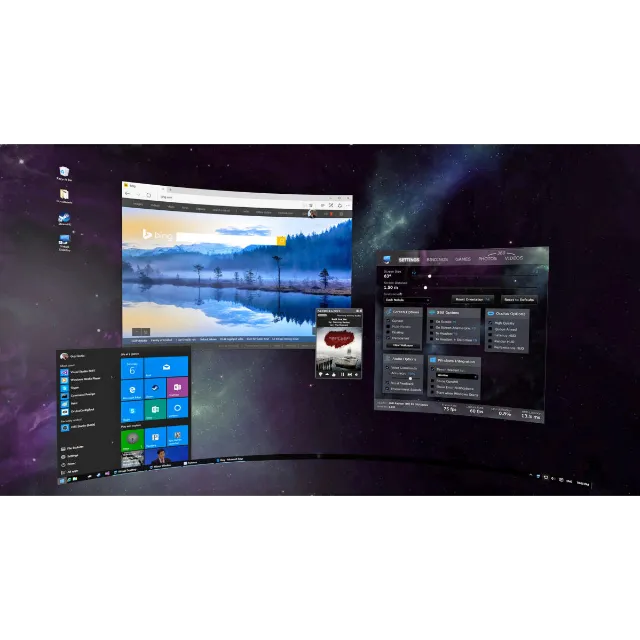
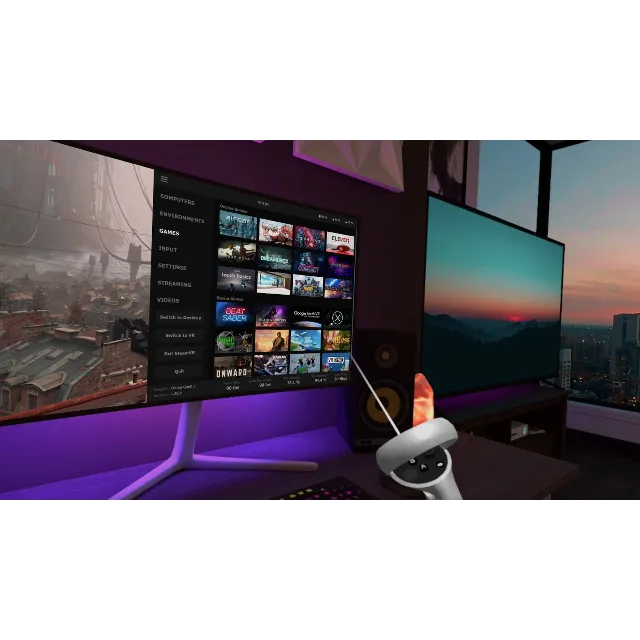
Step into your personal virtual workspace with "Virtual Desktop," a highly optimized application that wirelessly streams your computer to your VR headset. Developed for low latency and high-quality streaming, this app lets you browse the web, watch movies, and play games on a giant virtual screen. It's an essential tool for wirelessly playing your PC VR game library on your Meta Quest headset.
// PRODUCT DETAILS //
Official Meta Quest Gift Code for Virtual Desktop.
Instant and Fast Delivery. (Please check the listing details for more information.)
Customer Service Available for Support.
// REDEMPTION INSTRUCTIONS //
Navigate to meta.com and log in to your account.
Search for "Virtual Desktop" on the app page.
Click the menu button (three dots) and select "Redeem gift."
Enter the provided code and confirm.
The application will be added to your Quest library, ready to install and use.
// IMPORTANT NOTICE //
Platform: This key is for the Meta Quest platform only. It is not compatible with other VR platforms like PC VR or PSVR.
Requirements: Requires a VR-ready PC running Windows 10 or 11, a 5 GHz Wi-Fi router, and a Gigabit Ethernet cable connection to your computer for best performance.
Product Type: This is a digital app key. All sales are considered final.
Key Guarantee: The app key is verified to be valid and unredeemed at the time of delivery. We ensure all keys are active before they are sent.
Digital Sales Policy: Due to the nature of digital products, we cannot offer returns, refunds, or key replacements once the code has been successfully delivered and verified. Any issues with the code's redemption must be reported within 3 days of purchase.
โหลดเพิ่ม...
คำถามเป็นแบบสาธารณะและถามโดยผู้ใช้ ไม่ใช่ Gameflip ปลอดภัยด้วยการไม่เปิดเผยข้อมูลส่วนบุคคล เช่น ชื่อ ข้อมูลการชำระเงิน และบัญชีแพลตฟอร์มเกมของคุณ